
EDGEforms1.1.69 - Google Play
You'll be able to see results in few seconds.
Publisher Description
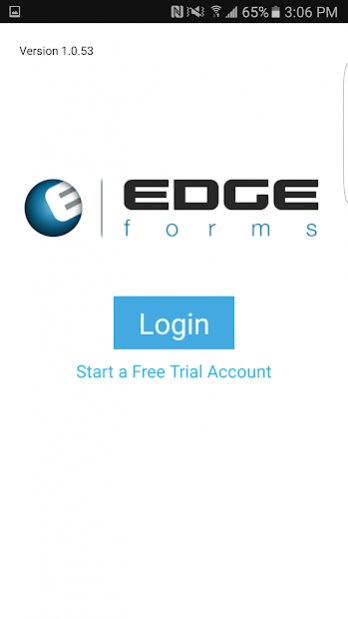
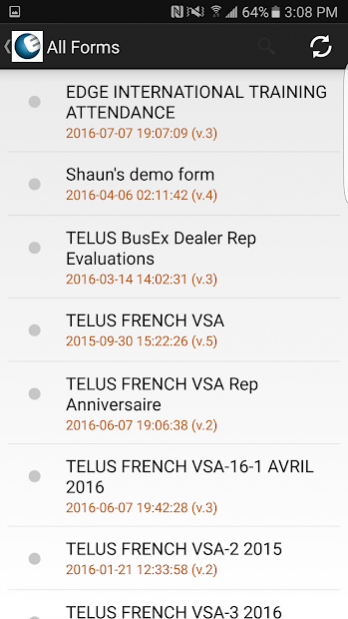
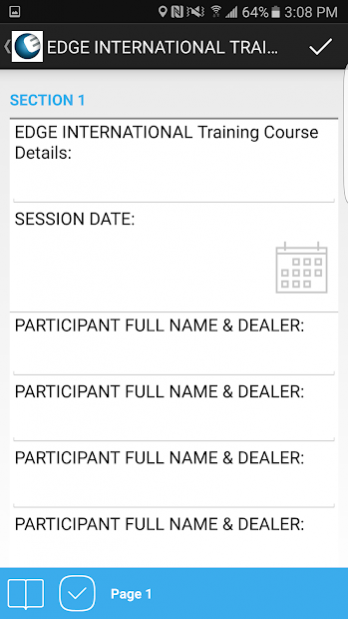
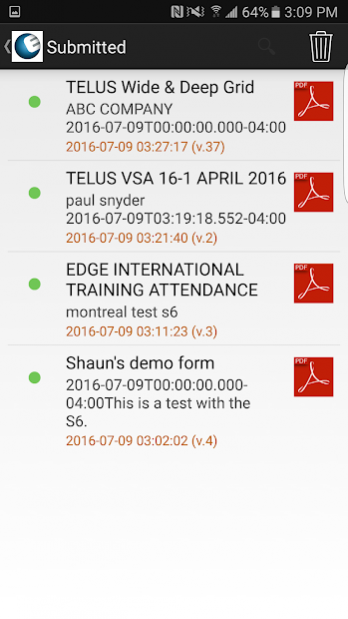
EDGEforms provides mobile access to your customized forms and work documents requiring an EDGEforms account to login.
Please contact EDGEforms via email to speak to a representative to set you your EDGEforms account: info@edgeinternational.org
EDGEforms helps businesses with mobile workers eliminate paper forms and documents, reducing the potential of manual data input errors and empowers businesses via a complete mobile form solution that is fully adaptable to your business processes.
Using the EDGEforms management tools, you can easily create your own forms and database management tools within minutes and without technical expertise! EDGEforms can also offer, for those requiring it, assistance in creation, development and workflow of your forms as well.
Instantly deploy and manage your forms to a mobile workforce and collect cleaner, richer data in real-time from your smartphones and tablet devices!
Some examples of how EDGEforms has helped companies:
-In-Field Inspection Forms
-Process Audit Forms
-Health & Safety Forms
-Various Checklists
-Invoicing
-Workforce Timesheets
-Trade Show Kiosk Surveys
-Customer Satisfaction Evaluations
-Sales Process and Coaching Evaluations
-Sales Order Forms
-And any other Custom Form you can think of…
With a click of a button in your account, your forms are deployed and available to your entire mobile workforce on their smartphones or tablets. No printing, scanning or copying is necessary - And everyone is using the most recent versions!
***Offline Access and Data Collection***
EDGEforms allows you to capture data when your mobile device is offline or without coverage.
STEP 1
Contact your EDGEforms Representative to create your online account at www.edgeformsmanager.com and Install the EDGEforms Mobile app.
STEP 2
Setup your customized forms in the EDGEforms Online Form Builder - Deploy your forms to any number of user groups that you can create.
STEP 3
Easily download your filled form data in Excel, PDF, CSV, Json, or XML formats through the EDGEforms Data Portal or via our integration APIs.
EDGEforms supports many modern data fields such as photos, videos, audio, drawings, geo locations and includes the following field types for your form design:
-Text
-Multi-Line Text
-Numeric
-Date
-Time
-Static Photo
-Photo with Captions and Annotations
-Audio
-Video
-Yes, No, NA
-Switch
-List
-Lookup Data List
-GPS Location
-Signature
-Sub Form
-Static Text
-Formatted Input
-Document Viewer
-Rating
-Computed Label
-Barcode
and many more...
SYSTEM INTEGRATIONS
EDGEforms is an open solution that can be easily integrated with hundreds of 3rd party systems through standards such as HTTP Post, FTP, SFTP, Email and other published APIs. Let us know how we can help your through your integration.
EDGEforms - Your Processes, Your Forms, Your Data, Your Profits!
About EDGEforms
The company that develops EDGEforms is Edge International Learning Systems Inc.. The latest version released by its developer is 1.1.69.
To install EDGEforms on your Android device, just click the green Continue To App button above to start the installation process. The app is listed on our website since 2018-06-20 and was downloaded 0 times. We have already checked if the download link is safe, however for your own protection we recommend that you scan the downloaded app with your antivirus. Your antivirus may detect the EDGEforms as malware as malware if the download link to com.edgeinternational.edgeforms is broken.
How to install EDGEforms on your Android device:
- Click on the Continue To App button on our website. This will redirect you to Google Play.
- Once the EDGEforms is shown in the Google Play listing of your Android device, you can start its download and installation. Tap on the Install button located below the search bar and to the right of the app icon.
- A pop-up window with the permissions required by EDGEforms will be shown. Click on Accept to continue the process.
- EDGEforms will be downloaded onto your device, displaying a progress. Once the download completes, the installation will start and you'll get a notification after the installation is finished.
Program Details
System requirements
Download information
Pricing
Version History
version 1.1.69
posted on 2018-06-20
This release contains updated security settings as well as:
Improved performance for large forms
Added NFC data entry when no NFC on device
Fixed issue with some colors
Removed duplicates from List Picker
Added code for Region based on username
Fixed blue screen bug for Android 8 option lists
Formatted Input (numeric) masking fix.
Fix for Workflow issue
Fixed issue with SSO for loginFragment when dismissing
The EDGEforms Team
version 1.0.55
posted on 2016-11-08
This version includes minor bug fixes and the following changes:,- Modification to allow for opening PDF report from a single click,- Integrated capitalization and spell check into forms,- Modifications to support proper Android 6.0 permission checks
Disclaimer
Official Google Play Link
We do not host EDGEforms on our servers. We did not scan it for viruses, adware, spyware or other type of malware. This app is hosted by Google and passed their terms and conditions to be listed there. We recommend caution when installing it.
The Google Play link for EDGEforms is provided to you by apps112.com without any warranties, representations or guarantees of any kind, so access it at your own risk.
If you have questions regarding this particular app contact the publisher directly. For questions about the functionalities of apps112.com contact us.
